
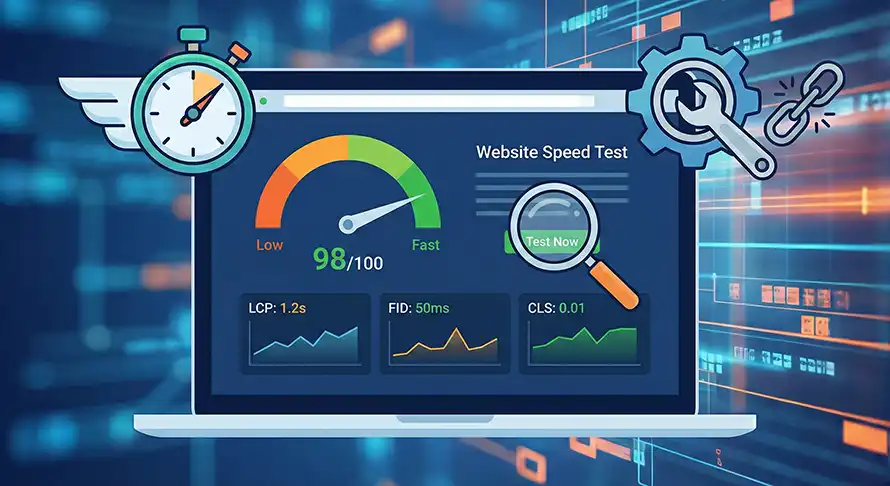
In the digital world, every second counts. Literally. If a visitor lands on your page and it takes more than three seconds to load, there is a high probability they will bounce back to the search results.
This is why you must check your website speed regularly. It isn’t just about user experience; it is a critical ranking factor for Google. A slow site hurts your brand, reduces conversions, and pushes your rankings down.
If you have noticed a drop in traffic or just launched a new site, you are in the right place. This guide will show you exactly how to analyze your performance and provides actionable steps to fix the issues.
Why You Need to Check Your Website Speed
Before we dive into the “how,” let’s briefly touch on the “why.” Google has made it clear that page experience is vital.
When you check your website speed, you are essentially checking the health of your online business. Slow loading leads to:
- Higher Bounce Rates: Users leave before the site loads.
- Lower Ad Revenue: Fewer page views mean fewer impressions.
- Poor SEO Rankings: Google penalizes sluggish sites.
To stay competitive, you need to know exactly how your site performs on both mobile and desktop devices.
Top Tools to Check Your Website Speed
You don’t need to guess how fast your site is. There are free, industry-standard tools available that give you granular data.
1. Google PageSpeed Insights
This is the holy grail of speed testing. Since Google determines your search ranking, it makes sense to use their tool. It provides a score from 0 to 100 and breaks down “Core Web Vitals.”
2. GTmetrix
GTmetrix provides a waterfall chart that shows you exactly which file (image, script, or CSS) is slowing down your page. It is excellent for deep troubleshooting.
3. Pingdom
Pingdom is user-friendly and great for a quick overview. It allows you to check your website speed from different server locations around the world, which is crucial if you have a global audience.
How to Analyze Your Speed Results
When you run a test, you will see a lot of technical jargon. Do not get overwhelmed. Here is what matters most:
- LCP (Largest Contentful Paint): How long it takes for the main content to load. It should be under 2.5 seconds.
- FID (First Input Delay): How long it takes for the site to become interactive.
- CLS (Cumulative Layout Shift): Does the content jump around while loading? It shouldn’t.
If these metrics are in the red, you have work to do.
7 Ways to Fix Slow Loading and Speed Up Your Site
Once you check your website speed and identify the bottlenecks, it is time to fix them. Here are the most effective methods to improve performance.
1. Optimize and Compress Images
High-resolution images are the most common reason for a slow website. A single 3MB image can halt your loading time.
You must compress images before uploading them. Tools like TinyPNG or plugins like Smush (for WordPress) can reduce file size by up to 70% without losing visible quality. Always use modern formats like WebP when possible.
2. Enable Browser Caching
Every time a user visits your site, their browser has to download your HTML, CSS, and images.
Browser caching allows the visitor’s browser to store these files locally. When they return to your site, or move to a new page, it loads instantly because they already have the files.
- For WordPress: Use plugins like WP Rocket or W3 Total Cache.
- For Custom Sites: Add “Expires Headers” to your
.htaccessfile.
3. Minify CSS, JavaScript, and HTML
Code files often contain unnecessary characters like spaces, commas, and formatting comments. While this makes it easier for humans to read, computers don’t need them.
Minification removes this whitespace. It makes the file size smaller and faster to read for the browser. Most caching plugins handle this automatically.
4. Use a Content Delivery Network (CDN)
If your server is in New York, but your visitor is in London, data has to travel across the ocean. This physical distance causes latency.
A CDN (like Cloudflare) stores copies of your website on servers all over the world. When you check your website speed after installing a CDN, you will see a massive improvement in Time to First Byte (TTFB) because the data is served from the location closest to the user.
5. Reduce HTTP Requests
Every piece of your website—every image, script, and font—requires a separate HTTP request. The more requests, the slower the site.
To fix this:
- Combine CSS files into one.
- Reduce the number of elements on the page.
- Uninstall plugins you are not using.
6. Upgrade Your Web Hosting
Sometimes, the problem isn’t your optimization; it’s your foundation. Cheap shared hosting packs thousands of websites onto one server. If another site on that server gets a traffic spike, your site slows down.
If you have tried everything else, consider moving to a VPS or a managed hosting provider known for performance.
Note: For more on selecting the right infrastructure, read our guide on [Choosing the Best Web Hosting for SEO]. (Internal Link Placeholder)
7. Eliminate Render-Blocking Resources
Google PageSpeed Insights often warns about “render-blocking resources.” This means a script (like a contact form or analytics code) is forcing the browser to pause loading the visual part of the site until the script is finished.
You can fix this by deferring JavaScript. This tells the browser to load the visual content first and load the background scripts later.
Conclusion
Website speed is not a “set it and forget it” task. As you add new blog posts, images, and plugins, your site can become sluggish again.
Make it a habit to check your website speed at least once a month. It is one of the highest-ROI activities you can do for your digital marketing. A faster site means happier users, better Google rankings, and ultimately, more growth for your business.
Ready to boost your performance? Start by running a free test on Google PageSpeed Insights today.
Related Service
- SEO Company USA — Boost national visibility with expert SEO strategies.
- Web Design & Development — Build fast, conversion-optimized websites that Google loves.
- PPC Marketing (Pay-Per-Click) — Drive immediate, high-intent traffic for quick ROI.
- E-commerce SEO — Drive targeted shopper traffic and maximize online store revenue.
- Social Media Advertising — Turn paid campaigns into high-converting customer funnels.