
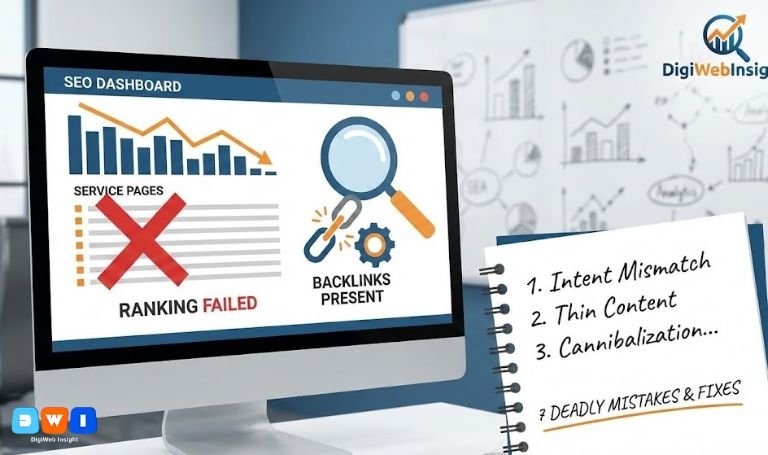
You have optimized your content, secured high-quality backlinks, and followed every rule in the book. Yet, you are still staring at the analytics, asking the same frustrating question: Why service pages don’t rank?
It is a common scenario. You pour budget into off-page SEO, expecting your “SEO Services” or “Web Design” pages to shoot to number one, but they remain stuck on page two or three. The reality is that ranking a transactional page requires a different strategy than ranking a blog post.
If you are wondering why service pages don’t rank even with backlinks in it, the answer often lies in subtle on-page disconnects, user intent mismatches, or technical roadblocks that no amount of link building can overcome.
Below, we break down the seven hidden reasons why service pages don’t rank and exactly how to fix them.
1. Search Intent Mismatch
The number one reason why service pages don’t rank is a misalignment with search intent. Google categorizes queries into four main types: Informational, Navigational, Commercial, and Transactional.
If you are targeting a keyword like “SEO,” you are fighting a losing battle with a service page. The search results for “SEO” are dominated by informational guides (“What is SEO?”). Google knows that people searching this term want to learn, not buy.
If your page is purely transactional (selling a service) but the SERP (Search Engine Results Page) is filled with “How-to” guides, your service page will not rank. You must target keywords where the intent is explicitly to hire or purchase, such as “SEO Agency” or “PPC Management Services.”
2. Content Is “Thin” or Lacks Depth
Backlinks act as votes of confidence, but they cannot save a page that offers no value. A major reason why service pages don’t rank is that they are often too short.
Many businesses throw up 300 words of sales copy, a contact form, and call it a day. However, Google prefers comprehensive content that demonstrates E-E-A-T (Experience, Expertise, Authoritativeness, and Trustworthiness).
Does your page answer:
- What the service includes?
- Who it is for?
- What the process looks like?
- Common FAQs?
If your competitors have 1,500 words of helpful content and you have 300 words of fluff, you will lose, regardless of your backlink profile.
3. Keyword Cannibalization
Sometimes, the enemy is within. You might be asking why service pages don’t rank, unaware that your own blog posts are stealing the spotlight.
This is called keyword cannibalization. If you have a service page targeting “affordable SEO” and a blog post titled “How to Find Affordable SEO,” Google might get confused about which page to rank. Often, it prioritizes the blog post because it has more engagement, leaving your money-making service page in the dust.
Ensure your internal linking structure is clear. Your blog posts should link to your service pages, telling Google, “This service page is the authority.”
For help with structural planning, you might consider professional Web Design & Development to organize your site hierarchy.
4. Why Service Pages Don’t Rank: Poor UX Signals
User Experience (UX) is a confirmed ranking factor. If users land on your service page and immediately leave (bounce), it signals to Google that the result was irrelevant.
Common UX issues include:
- Slow loading speeds (Core Web Vitals).
- Intrusive pop-ups.
- Poor mobile responsiveness.
- Walls of text without headings or images.
If your page takes 5 seconds to load, users will bounce back to the search results. Google tracks this “pogo-sticking” behavior. If it happens enough, your rankings will tank.
5. Over-Optimized Anchor Text
You mentioned you have backlinks, but are they the right kind?
In the past, hitting your service page with 100 links using the exact anchor text “Best SEO Company” worked wonders. Today, that is a red flag. Google’s Penguin algorithm penalizes unnatural link profiles.
If 90% of your backlinks use exact-match keywords, it looks manipulative. A natural profile includes branded links, naked URLs, and generic terms like “click here” or “visit website.”
This over-optimization is a frequent cause for why service pages don’t rank despite high link volume.
6. Lack of Internal Linking
You might have external backlinks, but what about internal ones?
Service pages are often buried in the site architecture, accessible only via a dropdown menu. If your homepage and high-traffic blog posts don’t link to your service pages, Google views them as less important.
Pass “link juice” from your high-authority articles to your service pages. For instance, if you write a blog about marketing trends, link the phrase “PPC marketing” to your Pay Per Click (PPC) Marketing service page.
7. Ignoring Local SEO Factors
For many service businesses, the intent is local. If you are trying to rank for “Web Design” globally, you are competing with Adobe and Wikipedia.
However, if you optimize for “Web Design in [City Name],” your chances skyrocket. Failing to optimize for local search—missing Google Business Profile integration, NAP (Name, Address, Phone) consistency, or local schema—is a massive reason why service pages don’t rank.
Even affordable agencies know that local relevance beats global volume. If you need assistance with this, check out an Affordable SEO Agency USA to refine your local strategy.
Conclusion
Understanding why service pages don’t rank requires looking beyond just backlinks. It is usually a combination of intent mismatch, thin content, technical flaws, and poor user signals.
To fix this:
- Audit your keywords for transactional intent.
- Expand your content depth.
- Fix cannibalization issues.
- Improve page speed and UX.
- Diversify your backlink anchors.
By addressing these issues, you turn your “dead” service pages into high-converting assets. For a comprehensive strategy, visit DigiWebInsight.