
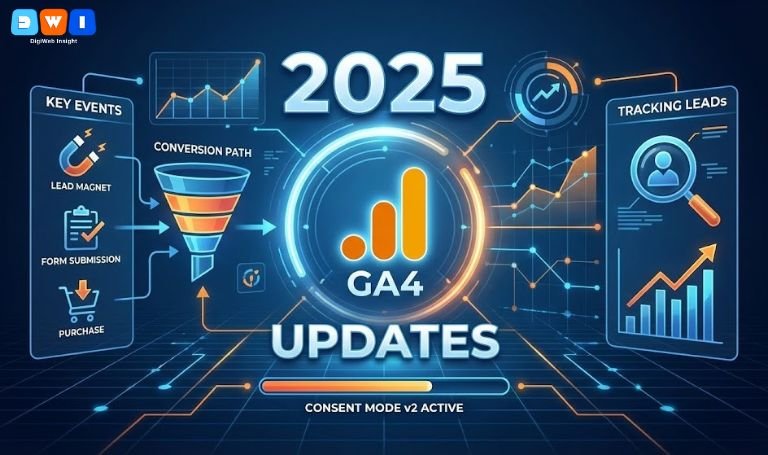
GA4 2025 Updates have completely reshaped how marketers track performance. If you are still looking for “Goals” or standard “Conversions,” you are likely missing almost half of your data.
The latest rollout has introduced significant terminology shifts—most notably the transition to “Key Events”—along with stricter privacy controls like Consent Mode v2. These changes are not just cosmetic; they fundamentally alter how leads are counted and attributed.
To ensure your data remains accurate, you need to adapt your tracking strategy immediately. Here is how to master the GA4 2025 Updates and track your leads correctly.
1. Understanding “Key Events” vs. Conversions
The most confusing part of the GA4 2025 Updates is the separation of “Key Events” and “Conversions.”
In the past, any important action was a conversion. Now, GA4 distinguishes between the two to align better with Google Ads:
- Key Events: These are interactions important to your business (e.g.,
generate_lead,form_submit). You define these inside GA4. - Conversions: These are now exclusively reserved for Key Events that are linked to Google Ads for bidding.
If you don’t mark your lead generation events as “Key Events” in the Admin panel, they will not appear in your advertising reports. This distinction is vital for accurate ROI calculation in 2025.
2. Mandatory Implementation of Consent Mode v2
Privacy is central to the GA4 2025 Updates. Google now strictly enforces Consent Mode v2, especially for traffic within the EEA.
Without this, your tracking tags may be blocked entirely for users who haven’t explicitly granted consent. This leads to massive data gaps where you might see traffic but zero leads.
Action Step: Ensure your cookie banner is integrated with Google Tag Manager and sends the correct “granted” or “denied” signals. This allows GA4 to use “Behavioral Modeling” to fill in the gaps for users who decline cookies, recovering lost lead data.
3. Leveraging Campaign Data Import
One of the most powerful features in the GA4 2025 Updates is the expanded Campaign Data Import.
Previously, tracking ROI from non-Google platforms like Meta (Facebook) or TikTok was difficult. Now, GA4 allows easier import of cost data from these platforms. This means you can see the cost-per-lead for a Facebook ad directly inside your GA4 “Traffic Acquisition” report.
For businesses relying on multi-channel marketing, this is a game-changer. If you need help configuring this complex setup, our Affordable SEO Agency in USA can assist in unifying your data streams.
4. Setting Up Custom Events for Accurate Lead Tracking
Standard events like page_view are not enough. The GA4 2025 Updates prioritize custom event structures.
To track a lead correctly, do not just track the “Thank You” page URL. Instead, use Google Tag Manager to fire a specific event:
- Event Name:
generate_lead - Parameters:
lead_source(e.g., popup, footer form),value(assigned monetary value).
By sending these specific parameters, you feed GA4’s AI algorithms, helping them predict which users are most likely to convert in the future.
5. Using Predictive Audiences
The GA4 2025 Updates have significantly improved AI-driven “Predictive Audiences.”
Once you are tracking leads correctly as Key Events, GA4 analyzes user behavior to create audiences such as “Likely to Purchase in 7 Days” or “Likely to Churn.”
You can export these audiences directly to Google Ads. This allows you to spend your budget only on users who exhibit high-intent behaviors, drastically lowering your CPA (Cost Per Acquisition).
If you are running paid campaigns, integrating these audiences is essential. Learn more about optimizing your ad spend with our Pay Per Click (PPC) Marketing services.
Technical Checklist for 2025
To stay ahead, ensure your property meets these standards:
- Data Retention: Set to 14 months (default is often 2 months).
- Cross-Domain Tracking: Configure correctly if you use third-party booking sites.
- DebugView: Always test your new events in real-time before publishing.
Final Thoughts on GA4 2025 Updates
Adapting to GA4 2025 Updates is not optional; it is a requirement for survival in digital marketing. By distinguishing Key Events, respecting user privacy, and utilizing AI features, you turn your analytics from a passive report into a growth engine.
Your website should be a lead-generating machine. If your current site structure isn’t supporting these advanced tracking methods, consider upgrading your infrastructure with professional Web Design & Development.
For a deeper dive into these technical changes, you can read the official Google Analytics Help Center release notes.
Stay compliant, stay accurate, and start tracking your success today.