
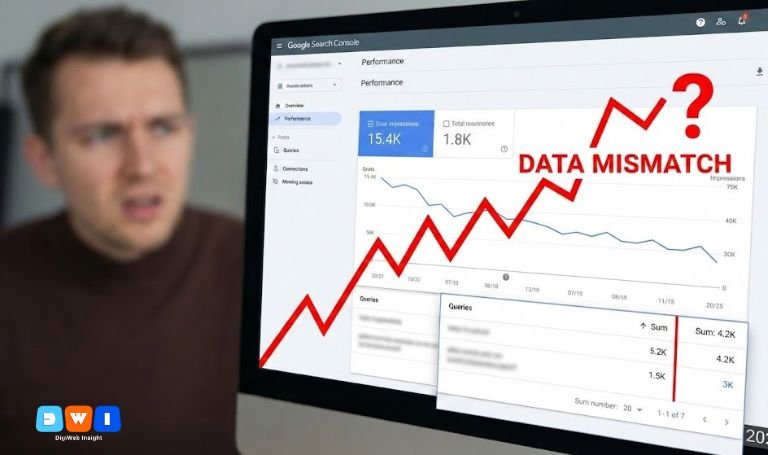
You log in, expect growth, and suddenly your heart sinks. The numbers don’t add up. You are looking at a glaring Google Search Console performance report mismatch that defies logic. You see high rankings but low clicks, or perhaps your client’s Google Analytics reports significantly more traffic than what GSC claims.
You aren’t crazy. In 2025, this data gap is widening, and it is trending because specific updates—like the removal of the num=100 parameter—have fundamentally changed how impressions are recorded.
If you don’t understand the Google Search Console performance report mismatch, you risk making bad SEO decisions based on incomplete data. This guide digs into the “why” and “how” so you can report with confidence.
What is the Google Search Console Performance Report Mismatch?
The Google Search Console performance report mismatch refers to the discrepancy between the data you see in GSC (Clicks and Impressions) and the reality recorded by other tools like Google Analytics 4 (GA4) or your server logs.
It also refers to the internal confusion within GSC itself—where the sum of clicks in the “Queries” table is significantly lower than the “Total Clicks” shown in the main chart. This gap is not an error; it is a feature of how Google filters privacy-sensitive data.
1. The “num=100” Parameter Removal (2025 Update)
The biggest driver of the Google Search Console performance report mismatch this year is technical. In late 2024 and early 2025, Google stopped supporting the num=100 parameter for search results.
Previously, rank trackers and bots used this to scrape 100 results at once. These automated scrapes inflated your impression counts artificially. Now that this is disabled, many site owners are seeing a massive “drop” in impressions. This isn’t lost visibility; it is just the removal of bot noise.
2. Anonymous Queries (The Privacy Void)
Have you ever summed up all the clicks in your GSC table and realized they only account for 40% of the total clicks shown in the graph above? This is the most common form of Google Search Console performance report mismatch.
Google filters out “Anonymous Queries.” These are queries made by a very small number of users. To protect user privacy (so you can’t identify a specific person based on a hyper-specific search), Google hides these keywords from the table but keeps the data in the total count.
3. GSC Clicks vs. GA4 Sessions
Another major source of confusion is comparing GSC Clicks to Google Analytics Sessions. They will never match perfectly.
- GSC Clicks: A user clicks your link in Google Search. If they hit “back” and click it again, that might be one click or two depending on the timeframe.
- GA4 Sessions: If a user clicks, lands on your site, leaves, and returns within 30 minutes, it is often counted as one session.
If you are running a campaign with an affordable SEO agency USA, ensure they explain this distinction in your monthly reports.
Why the Google Search Console Performance Report Mismatch Matters
Ignoring the Google Search Console performance report mismatch can be dangerous for your strategy.
If you panic because impressions dropped (due to the num=100 change) and start changing your meta tags or content, you might ruin a perfectly optimized page. Understanding that this is a reporting change, not a ranking change, saves you from unnecessary optimizations.
Also, if you rely heavily on specific keyword data, the “Anonymous Queries” filter means you are blind to nearly half of your long-tail traffic.
4. Bot Filtering and Crawler Traffic
Google is getting aggressive about filtering out non-human traffic. However, they aren’t perfect. Sometimes bots slip through, inflating impressions, and sometimes real users are filtered out. This fluctuation contributes to the daily Google Search Console performance report mismatch you might see in fresh data.
5. Fresh Data vs. Final Data
GSC offers “Fresh” data (less than 24 hours old). This data is preliminary. It often changes when it becomes “Final” data a few days later.
If you report numbers to a client on Tuesday regarding Monday’s traffic, you might find those numbers drop by Wednesday. Always wait for data to finalize to avoid a Google Search Console performance report mismatch.
How to Handle the Data Discrepancy
Don’t let the data fool you. Here is how to manage the mismatch:
- Trust Trends, Not Absolutes: Use GSC for trend analysis (up or down) rather than exact visitor counts.
- Use Regex Filters: To uncover more granular query data, use Regex filters in GSC to catch long-tail variations that standard filters miss.
- Cross-Reference with GA4: Use Google Analytics to verify if traffic actually dropped or if it’s just a GSC reporting quirk.
For a comprehensive audit, you might need expert help. Companies specializing in web design and development often have advanced tracking setups that bridge these gaps.
6. Canonicalization Confusion
Sometimes, Google attributes data to the “canonical” URL rather than the one the user actually clicked. If you have mobile (m.) and desktop versions, GSC might report all data under the desktop URL. This creates a perceived Google Search Console performance report mismatch if you are looking at the wrong property.
Optimizing Despite the Mismatch
Even with these data gaps, your SEO strategy must remain solid. Focus on high-quality content and user experience (EEAT).
- Content: Keep it helpful and unique.
- Structure: Use short paragraphs and clear headings.
- Diversity: Don’t just rely on SEO; integrate Pay Per Click (PPC) marketing to get accurate conversion data that GSC hides.
7. The “Page Experience” Filter
GSC often filters out data from the “Page Experience” reports if there isn’t enough data to be statistically significant. You might see clicks for a URL, but no Core Web Vitals data. This is yet another form of Google Search Console performance report mismatch.
Conclusion
The Google Search Console performance report mismatch is frustrating, but it is rarely a sign that your SEO is broken. In 2025, it is mostly due to privacy filters like Anonymous Queries and technical shifts like the num=100 removal.
Stop chasing the missing numbers. Focus on the trends, valid clicks, and actual revenue. If you need a partner to help decipher these complex reports and grow your traffic, visit DigiWebInsight for expert guidance.
By understanding the Google Search Console performance report mismatch, you move from panic to power. Keep your content natural, your strategy diverse, and your reporting realistic.