
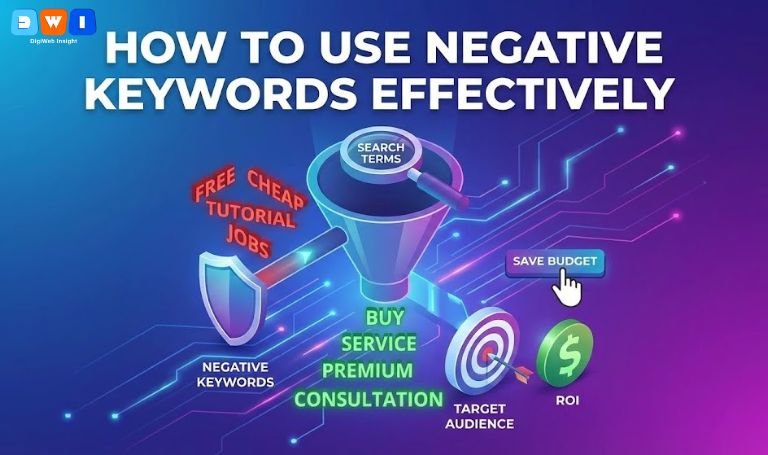
Are you watching your Google Ads budget vanish without seeing a return on investment? You are not alone. One of the biggest reasons for wasted ad spend is bidding on search terms that have nothing to do with your business. If you want to stop the bleeding, you need to learn how to use negative keywords effectively.
Negative keywords are the shield that protects your campaign from irrelevant traffic. They tell Google exactly when not to show your ad. By mastering this tool, you can lower your costs and skyrocket your conversion rates.
In this guide, we will break down the strategies you need to refine your audience and make your budget go further. whether you are managing your own ads or working with an Affordable SEO Agency in USA, these steps are non-negotiable.
What Are Negative Keywords?
Negative keywords are specific words or phrases that prevent your ad from being triggered. For example, if you sell “premium leather shoes,” you do not want to appear for searches like “cheap leather shoes” or “shoe repair services.”
By adding “cheap” and “repair” as negative keywords, you ensure your ad only appears for high-intent buyers. Understanding this filtering process is the first step in learning how to use negative keywords effectively.
Step 1: Audit Your Search Terms Report
The best place to find negative keywords is your own data. The “Search Terms” report in Google Ads shows you exactly what users typed into Google before clicking your ad.
You will likely find some shocking results. You might see searches for competitors, free products, or completely unrelated topics.
- Open your Google Ads dashboard.
- Navigate to Keywords > Search Terms.
- Sort by “Impressions” or “Cost.”
- Identify irrelevant terms and add them to your negative list immediately.
Regularly auditing this report is a cornerstone of Pay Per Click (PPC) Marketing.
Step 2: Master Negative Keyword Match Types
Simply adding a word isn’t enough. To understand how to use negative keywords effectively, you must understand the three match types.
- Negative Broad Match: This is the default. If you exclude the phrase running shoes, your ad won’t show if the search contains both words in any order (e.g., “shoes for running”). However, it might still show for just “running.”
- Negative Phrase Match: This excludes the exact phrase in that specific order. If you exclude “running shoes”, you won’t show for “blue running shoes,” but you might show for “shoes for running.”
- Negative Exact Match: This only excludes the specific keyword by itself. It is rarely used alone because it is too limiting.
Using the right match type prevents you from accidentally blocking good traffic.
Step 3: Create Shared Negative Lists
If you run multiple campaigns, adding negatives one by one is tedious. A pro tip on how to use negative keywords effectively is to use “Negative Keyword Lists.”
You can create a “Universal Negatives” list that applies to every campaign in your account. This list should include words that are never relevant to your business, such as:
- Free
- Cheap
- Download
- YouTube
- Job / Career / Hiring
- DIY
By applying this list across the board, you save time and ensure consistent protection for your budget.
Step 4: Focus on User Intent
The goal is to filter out users who are in the “research” phase and keep those in the “buying” phase.
If you offer Web Design & Development, you want to avoid people looking for “web design tutorials” or “how to code html.”
Target intent-based negatives. If you are a service business, exclude terms like “salary,” “training,” or “definition.” These searches indicate the user is looking for information, not a service provider.
Step 5: Don’t Go Overboard
It is possible to be too aggressive. One of the risks when learning how to use negative keywords effectively is accidentally blocking relevant searches.
For instance, if you block the word “free,” make sure you don’t offer a “free consultation.” If you do, you might want to use exact match negatives for specific phrases rather than a broad negative on the word “free.”
Always double-check your notifications. Google will often alert you if a negative keyword is conflicting with one of your active keywords.
Why This Matters for Your Bottom Line
Implementing these changes does more than just save a few dollars. It improves your Click-Through Rate (CTR). When your ads only appear for highly relevant searches, people are more likely to click.
A higher CTR leads to a better Quality Score, which ultimately lowers your Cost Per Click (CPC). It is a positive cycle that starts with clean data.
For a deeper dive into match types, you can refer to this official guide from Google Ads Help.
Conclusion
Mastering how to use negative keywords effectively is not a one-time task; it is an ongoing habit. As search trends change, so will the irrelevant terms triggering your ads.
By auditing your search terms, understanding match types, and building shared lists, you transform your campaigns from wasteful to wealthy.
If you need help implementing these strategies or want a full audit of your current setup, visit us at DigiWebInsight.