
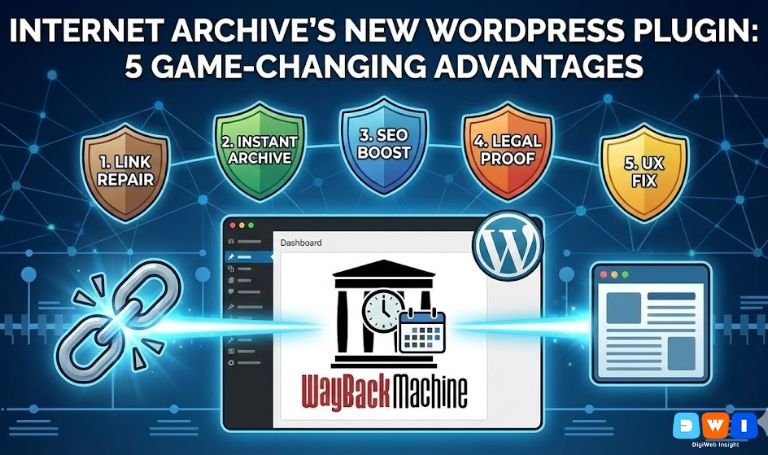
The digital world has a memory problem. Links die, pages vanish, and sources are deleted. For website owners, this “link rot” is a silent killer of credibility and SEO. But a powerful solution has arrived. Internet Archive’s New WordPress Plugin, officially known as the “Wayback Machine Link Fixer,” is here to solve the fragility of the web.
Launched in collaboration with Automattic, this tool is not just a backup utility; it is a dynamic defense system for your content. By integrating directly with the Wayback Machine, it ensures your site remains a reliable resource, regardless of what happens to the external sites you link to.
If you are serious about long-term content health, this tool is essential. Here are the 5 game-changing advantages of using Internet Archive’s New WordPress Plugin for your website.
1. Automated “Link Rot” Prevention
The primary superpower of Internet Archive’s New WordPress Plugin is its ability to heal broken links automatically. We have all faced the frustration of clicking a citation only to land on a “404 Not Found” page.
This plugin scans your content for outbound links. If it detects that a linked page has gone offline, it doesn’t just leave your user with a dead end. Instead, it seamlessly redirects the user to the most recent archived version of that page stored in the Wayback Machine.
This creates a self-healing ecosystem. Your readers always get the context they need, and you don’t have to manually audit thousands of old blog posts.
2. Instant Content Preservation
In the past, archiving your content required manual submission or hoping a crawler would stop by. Internet Archive’s New WordPress Plugin changes this by proactively pushing your content to the archive.
Whenever you publish a new post or update an existing one, the plugin automatically triggers a snapshot in the Wayback Machine. This ensures that a permanent, immutable copy of your work exists the moment it goes live.
For businesses offering web design and development, this is crucial. It acts as an instant, third-party backup that is independent of your hosting provider, protecting you against server failures or accidental deletions.
3. Boosting Trust and SEO Signals
Google hates broken links. A site filled with 404 errors signals neglect and poor user experience, which can negatively impact your rankings. By ensuring every link on your site resolves to valid content, Internet Archive’s New WordPress Plugin protects your SEO health.
Furthermore, linking to stable, archived sources increases your “TrustRank.” It shows both users and search engines that you value accuracy. In an era of AI-generated misinformation, being the source that links to verifiable history is a massive competitive advantage.
If you are looking to amplify this trust with a broader strategy, partnering with an affordable SEO agency in the USA can help you leverage these technical wins into higher rankings.
4. Legal and Copyright Defense
One often overlooked benefit of Internet Archive’s New WordPress Plugin is its role in legal protection. Because the plugin creates a timestamped, third-party record of your content, it serves as proof of existence.
If a competitor scrapes your content or claims ownership, you can point to the archived snapshot as definitive proof that you published it first. This “digital notary” function is invaluable for creators, journalists, and businesses protecting their intellectual property.
5. Improving User Experience (UX)
Nothing breaks a user’s flow like a dead link. It causes frustration and increases bounce rates. Internet Archive’s New WordPress Plugin ensures a frictionless reading experience.
When a user clicks a link on your site, they expect to see information. By fulfilling that promise—even if the original host is down—you keep the user engaged. They stay on your journey, reading your insights and interacting with your brand.
For marketers running Pay Per Click (PPC) marketing campaigns, every bounce costs money. Ensuring your landing pages provide a seamless experience for outbound clicks can indirectly improve your quality scores and conversion rates.
How to Get Started
Installing the plugin is simple. It is available directly from the WordPress repository. Once activated, it works quietly in the background, requiring minimal configuration.
You can configure it to:
- Archive all new posts immediately.
- Scan existing posts for broken links.
- Display a subtle notification when a user is viewing an archived link.
Conclusion
The web is ephemeral, but your website doesn’t have to be. Internet Archive’s New WordPress Plugin transforms your site from a fragile collection of temporary links into a robust, permanent resource.
By automating preservation and fixing broken links, you are not just saving history; you are building a stronger, more trustworthy brand.
To ensure your entire digital presence is as resilient as your links, visit DigiWeb Insight for a comprehensive audit of your digital strategy.
For more technical details, you can view the official plugin page on the WordPress Repository.