
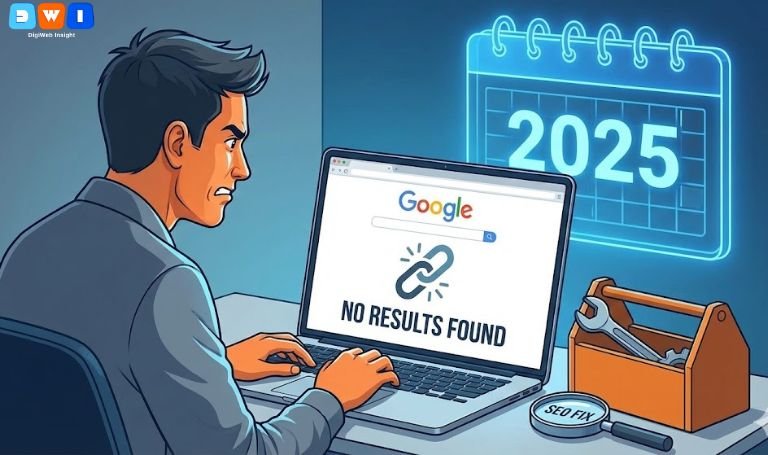
You have spent hours crafting the perfect piece of content or launching a sleek new webpage. You hit “publish” and wait for the traffic to start flowing. But days, perhaps weeks later, your analytics show a flatline. You search for your specific page on Google, and it is nowhere to be found.
This is the frustrating reality of indexing issues. Before you can rank on page one, you must first be admitted into Google’s massive library. If you are currently asking, “Why Google is not indexing your website?” you are not alone. In 2025, Google has become pickier than ever about what makes the cut.
Understanding the root causes of indexing failures is crucial for online survival. This guide breaks down the most common reasons your pages remain invisible and provides actionable fixes to get discovered fast.
What Does “Indexing” Actually Mean?
Before fixing the problem, we must define it. Google has three main stages:
- Crawling: Googlebots (spiders) discover your URL.
- Indexing: The bots analyze the page content and store it in their massive database.
- Ranking: When a user searches, Google serves up the best-indexed pages.
If you aren’t indexed, you cannot rank. Period. When you are trying to figure out why Google isn’t indexing your website, the issue usually lies between the crawling and indexing stages.
Here are the seven most critical reasons this happens in 2025.
1. You Are Accidentally Blocking Googlebots
The most common reason for sudden invisibility is a simple technical error. You might be literally telling Google, “Do not look here.”
This usually happens in two places:
- The “noindex” Meta Tag: Sometimes, during development, developers place a “noindex” tag in the HTML header to keep a work-in-progress private. If you forget to remove this upon launch, Google will respect the request and ignore the page.
- Robots.txt Blocking: Your
robots.txtfile is a directive for crawlers. If you accidentally disallow essential parts of your site, the bots cannot access them to add them to the index.
The Fix: Use the URL Inspection tool in Google Search Console to see if submission is blocked.
2. Your Content Is “Thin” or Lacks Value (EEAT)
In 2025, Google’s patience for low-quality content is at an all-time low. If you are wondering why Google isn’t indexing your website pages, look honestly at the content quality.
Google prioritizes E-E-A-T (Experience, Expertise, Authoritativeness, and Trustworthiness). If your content is “thin” (very short, lacking depth), duplicates existing content elsewhere, or reads like unedited AI gibberish, Google may decide it’s not worth the resources to store it. They only want to index content that is helpful to users.
3. The Page Is an “Orphan”
Google discovers new pages primarily by following links from existing known pages.
If you create a new page but do not link to it from anywhere else on your site (your navigation menu, homepage, or related blog posts), it is called an “orphan page.” Crawlers have no path to reach it.
The Fix: Ensure every new page has at least a few internal links pointing to it from relevant, stronger pages on your site. A solid internal linking structure is a key component of professional web design development.
4. You Have Exhausted Your Crawl Budget
Google doesn’t have infinite resources. It assigns a “crawl budget” to your site based on its authority and how often you publish.
If you have thousands of low-quality, auto-generated pages (like endless faceted navigation URLs on e-commerce sites), Googlebot might waste its budget crawling junk. By the time it gets to your new, valuable content, it has moved on.
5. Your Website Loads Too Slowly
User experience is a massive factor in SEO. Google knows users hate slow websites.
If your server takes too long to respond when Googlebot comes knocking, the bot may timeout and give up before it can even read the page. While speed is a ranking factor, extreme slowness can become an indexing blocker.
The Fix: Check your Core Web Vitals and optimize image sizes and server response times.
6. Lack of Domain Authority and Backlinks
If your site is brand new, Google doesn’t trust it yet. Why should they index your content over an established competitor?
Backlinks from external, reputable websites act as votes of confidence. They tell Google your site is legitimate. Without any external signals, a new site will struggle with slow indexing speeds. Building authority via white-hat link building is often a necessary step handled by an affordable SEO agency USA.
It is crucial to follow Google’s official guidelines on how search works to understand the importance of these trust signals.
7. You Have a Manual Action Penalty
This is the rarest but most severe scenario. If you have engaged in “black hat” SEO tactics—like buying spammy link packages, sneaky redirects, or scraping content—a Google employee may have manually reviewed your site and applied a penalty.
A severe penalty can result in total de-indexing. You can check for this in the “Manual Actions” section of Google Search Console.
Summary: Getting Your Pages Seen
Troubleshooting why Google isn’t indexing your website requires a systematic approach. Start with technical checks in Search Console, then move to a critical audit of your content quality and site structure.
Indexing is the first hurdle in the SEO marathon. Once you cross it, the real race for rankings begins.
If you need assistance with a technical audit or a complete digital strategy overhaul, the experts at DigiWeb Insight are ready to help. Sometimes, while waiting for organic indexing to kick in, utilizing Pay Per Click (PPC) marketing is the best way to gain immediate visibility.